Product
Dec 7, 2025
Notion Slack notifications without the spam: how Tetherly.ai alerts you properly
Notion Slack notifications without the spam: how Tetherly.ai alerts you properly
If your current Notion Slack notifications setup was a person, you would fire it.
It either tells you nothing when something critical breaks.
Or it narrates every tiny change like a deranged sports commentator.
You do not want "notifications". You want this:
Tell the right people when something important changes in Notion
Tell them in Slack
Include enough context so they can act
Stay completely silent the rest of the time
Tetherly’s Slack Notion integration is built around that principle.
This article breaks down exactly how Notion Slack notifications work in Tetherly.
We will walk through:
Default notifications that work out of the box
Custom notifications wired to your own workflow logic
Examples for product, engineering and ops teams
How everything shows up in Slack so people can stay in one tool
If you want to see the entire system end to end, you can also read the complete guide to the Slack Notion integration and then come back here when you are ready to fix notifications.
Why Notion Slack notifications are usually awful
Let us call out the usual setup.
You try to get Slack alerts for Notion updates. You either:
Turn on Notion’s basic Slack integration and hope it hits the things you care about
Wire a half broken "send to Slack when database changes" flow in Zapier or Make
Slap some Notion automations together that scream into one random Slack channel
What you get is:
Alerts that trigger on every small property change
No awareness of context or priority
No concept of who actually needs to see this
Zero threading, so you get twenty separate messages for one page
You asked for "notify Slack when a Notion task is updated".
You got "please ruin my day with generic update spam".
Tetherly does Notion Slack notifications differently.
Instead of "everything goes to Slack", you define:
What should trigger
Who should be notified
Where it should show up in Slack
What context must be attached
You get smart defaults, then you can go as custom as you want.
The Tetherly.ai notification model in plain English
Tetherly is not just another bot that posts when Notion burps.
It uses a clear notification model built for real work:
Scope
Decide what part of Notion we watch. A specific database or page.Attributes
Choose which fields matter for this rule. Status, priority, owner, due date, severity, customer and anything else you use.Conditions
Define logical rules with AND and OR.
Example. Status changed to Blocked and Priority is High.
Example. Due date is in the past and Status is not Done.Action
Decide who gets pinged and where in Slack. DM the assignee, post in a channel, or both.
On top of that, you get a layer of defaults so you see value on day one without building a single rule.
The point is not "send everything".
The point is "never miss what matters and never see junk again".
Default Notion Slack notifications. The sane out of the box setup
If you install Tetherly, connect Slack and Notion, and change nothing, you still get useful Slack Notion notifications.
If you have not connected the tools yet, start with how to connect Slack and Notion without code so Tetherly can actually see your workspace.
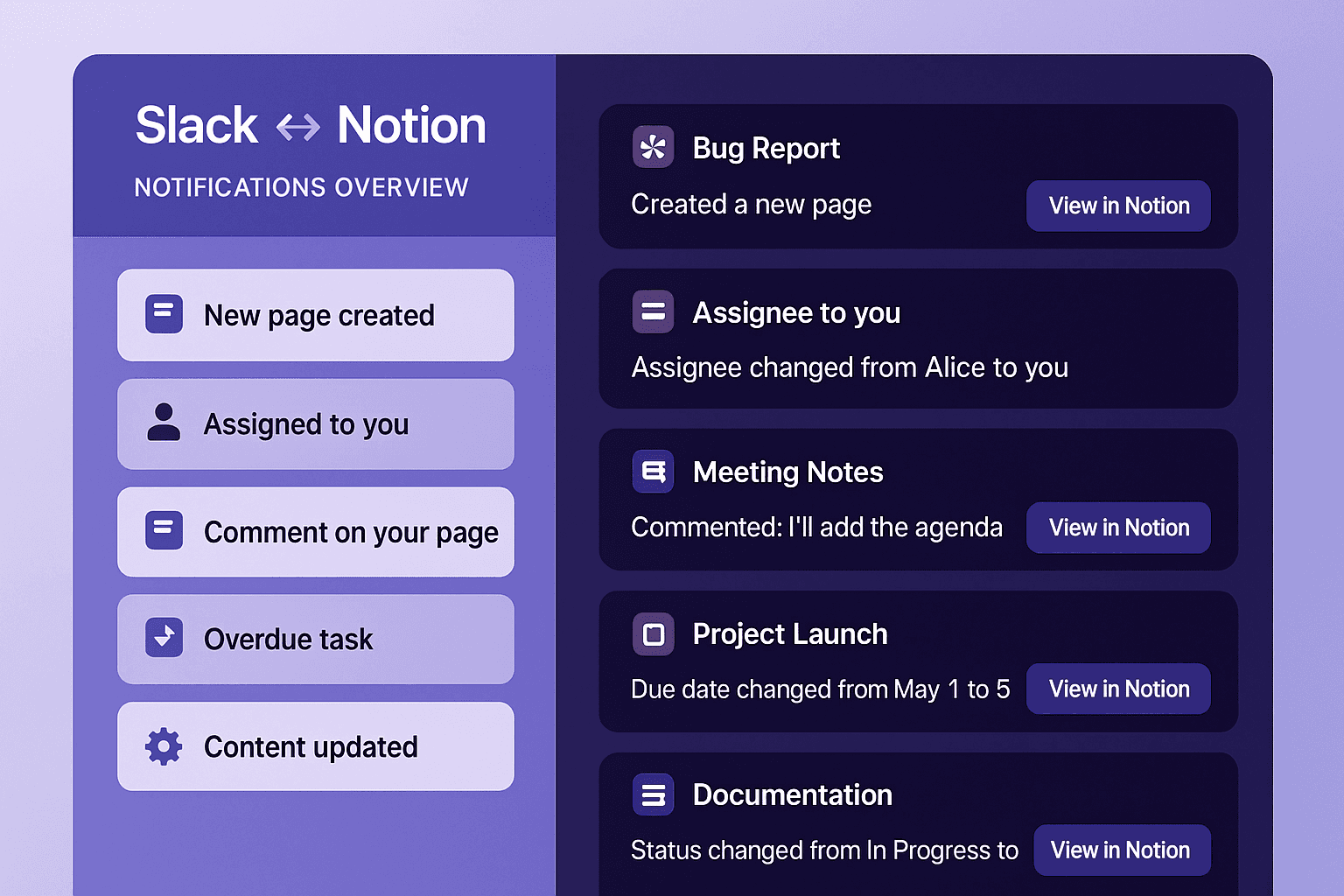
By default, Tetherly can send Slack alerts for things people actually care about, like:
Someone comments on your Notion page
Someone mentions you on a page or in a comment
Someone replies to your comment
Someone adds you in a People property on a Notion page or database row
A Notion doc or page is shared with you
A new page or database item is created
A page you own or follow gets updated
A task assigned to you becomes overdue
Important content on a page changes
These defaults can be configured per workspace, but you do not start from zero.
If Notion thinks "this involves you", Tetherly brings it into Slack in a way that does not suck.
How default Notion to Slack notifications look in practice (H3)
Picture this:
You are added as the assignee on a bug in your Notion Bugs database
Tetherly sends you a direct message in Slack that shows
The bug title
"Assignee. changed from Unassigned to you"
The current Status and Priority
A button or link to open the Notion page
If someone later comments on that bug, you get a threaded reply under the same notification
Or:
Someone mentions you in a Notion spec
You get a Slack DM with the comment text and a link to the exact block in Notion
All replies stay in the same Slack thread
You are not guessing which page it came from.
You are not scrolling through a generic "Notion updates" channel with 500 messages.
Defaults keep individuals looped in without any custom rule building.
Custom Notion Slack notifications. Your own automation brain
Defaults cover "someone touched your stuff".
Custom notifications cover everything else.
This is where you stop begging Notion Slack notifications to behave and start defining your own rules.
Step 1. Pick the scope
You start by deciding what Tetherly should watch.
You can select:
A specific Notion database
Product Roadmap
Bugs
Incidents
Customer Feedback
OKRs
A specific Notion page and its sub pages
This keeps rules focused.
You do not create a global monster that watches everything.
You say "watch this database and only this one".
Step 2. Choose properties that matter
Next, you pick which fields inside that database matter for this notification rule.
Examples:
Status
Priority
Assignee or Owner
Created by
Due date
Type
Severity
Customer segment
ARR
Region
Tetherly works with your existing schema.
You do not have to remodel your workspace.
It just exposes your current properties in the rule builder.
Step 3. Add conditions with AND and OR
Now you define logic.
You are not stuck with a vague "whenever the page changes".
You write actual conditions like a real workflow.
Examples:
When Status changes to Blocked and Priority equals High
When Severity equals Critical or Customer Segment equals Enterprise
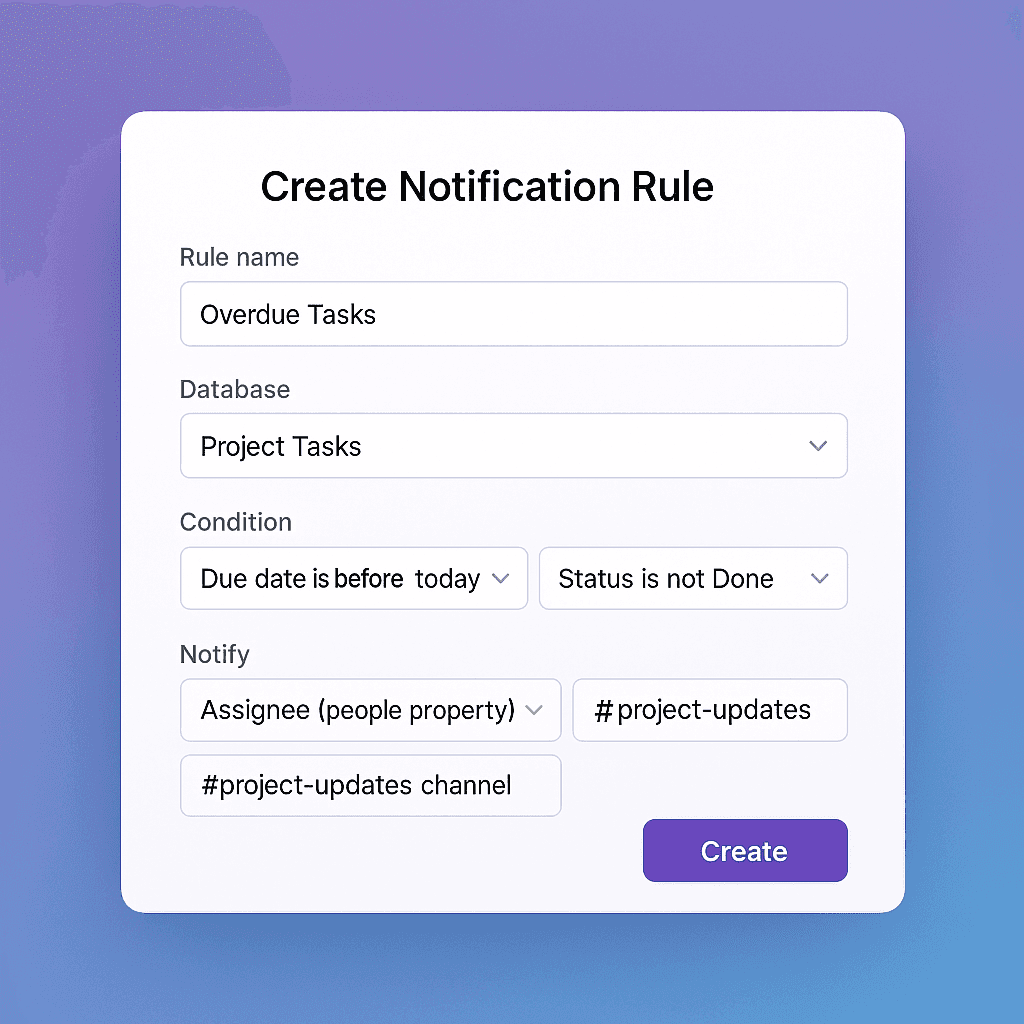
When Due date is before today and Status is not Done
When ARR is greater than 100k and Type equals Upsell
You can chain multiple conditions.
You can combine them with AND and OR.
This is the difference between "Slack alerts for Notion updates" and
"Slack alerts when this specific thing we care about happens".
Step 4. Choose who gets pinged and where in Slack
Finally, you tell Tetherly who to notify and in which Slack surface.
You can:
DM one person
DM multiple people
Send a message to a Slack channel
Send a message to several channels
Use dynamic targets based on Notion properties
This is where it gets powerful.
You can use values from the page itself, like:
The person in the Assignee property
The list of reviewers in a People property
A Notion group set in a People property
The Created by user
Which means you can write rules like:
When a bug Status changes to Ready for QA, DM the Assignee and post to
#qaWhen a project Status flips to Blocked, DM the Owner and post to
#project-updatesWhen a customer health score drops to Red and segment is Enterprise, DM the Account Owner and post to
#cs-alerts
You no longer maintain manual lists of "who should be pinged".
You let the Notion page itself define it.
Real world examples by role
You are not writing rules in a vacuum.
Here is how teams actually use custom Notion Slack notifications.
Product manager
You drown in specs, tickets and feedback.
Notification rules that make sense:
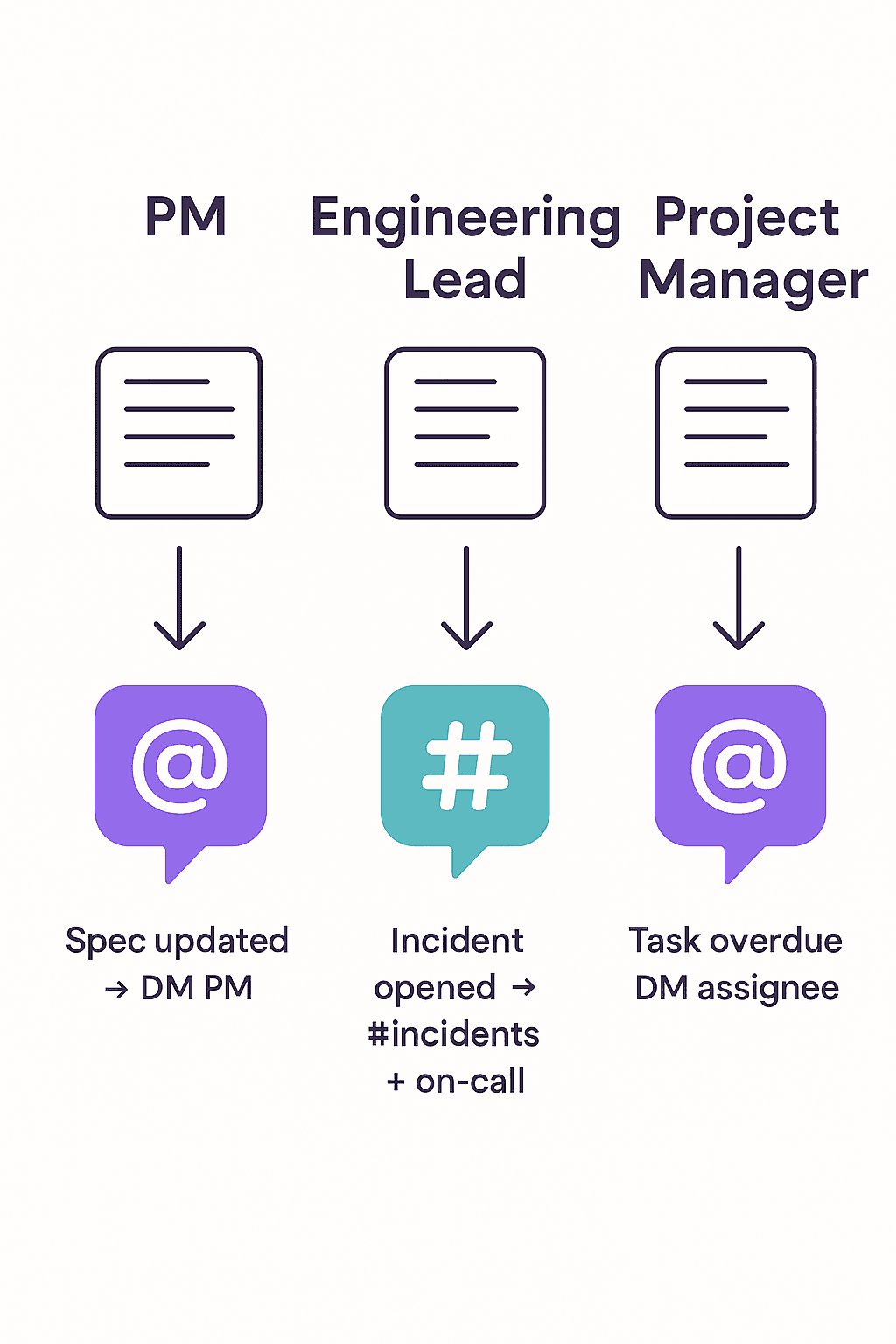
When a spec Status changes to Needs review and the PM field is you, DM you
When a roadmap item reaches Shipped, post an update to
#product-launchesWhen someone comments on a spec where you are marked as PM, DM you and keep replies in one Slack thread
When important feedback comes in via Slack and is pushed to the Notion Feedback database, send a digest notification to
#product-feedback
You stop living inside Notion just to see if anyone touched your documents.
Engineering lead
Your job is incidents, bugs and architecture decisions.
Notification rules that make sense:
When an incident page is created with Severity set to Critical, post to
#incidentsand DM whoever is assigned as Incident leadWhen a bug Priority is raised to P0, notify
#eng-alertsand DM the bug AssigneeWhen an RFC moves to Ready for review, post in
#engineeringwith a link and a short summary
Notion stays the source of truth.
Slack becomes the control tower.
Project manager or Chief of Staff
You live in dates, risks and status.
Notification rules that make sense:
When a task in the Project Tasks database has Due date in the past and Status is not Done, DM the Assignee and ping
#project-updatesWhen the Risk field on a project flips from Low to High, DM the project sponsor
When a milestone moves to Completed, post a small celebration in
#wins
You do not chase people with "any updates".
You let Notion state changes drive Slack updates.
Customer support and success
You fight fires and keep accounts healthy.
Notification rules that make sense:
When a ticket in the Support database changes to Escalated, post to
#support-escalationsand DM the on call engineerWhen a customer health score changes to Red, DM the CSM and post to
#cs-alertsWhen a feedback page gets tagged as P0 or Feature request, notify
#product-feedback
You get Notion to Slack database notifications that actually carry meaning, not generic "row updated".
How notifications behave inside Slack
Let us talk about the Slack side, because this is where most tools fall apart.
In Tetherly:
Every notification contains clear context
What changed
Old value and new value
Which Notion page or database row it came from
Direct link back to Notion
Comments and replies are threaded
When a Notion comment triggers a Slack alert, it appears as a bot message
Replies in Slack stay in a thread under that message
Replies can sync back to Notion as comments, so both tools share the same conversation
You can handle most of it from Slack
See the change
Reply in context
Click through to Notion only when you need full details
If you want the deep dive on how conversations stay in sync, read how to sync Slack thread replies with Notion (keep context forever) which sits underneath these notifications.
Instead of a noisy "Notion updates" channel full of one off messages,
you get structured threads where each page or incident has its own Slack conversation.
Default vs custom. How they fit together
You do not pick "default" or "custom". You use both.
Default notifications handle personal events
Being mentioned, assigned, commented onCustom notifications handle team events
Critical changes, SLA breaches, status flips, overdue items, risk changes
On day one:
You install Tetherly
Connect Slack and Notion
Default Notion Slack notifications start flowing for comments, mentions and assignments
On day two:
You create a handful of high impact custom rules
Examples. P0 bugs. Critical incidents. Overdue tasks. High risk projects.
From that point on, the only time someone in the team says "I did not see that" is when they ignored a Slack thread you explicitly chose to create.
How this ties into the rest of your Slack Notion integration
Notifications are not a bolt on at the end.
They sit on top of everything else Tetherly already does.
Your existing features handle things like connecting Slack and Notion without code and
sending Slack messages to Notion automatically so nothing important stays trapped in chat.
You can also search Notion docs from Slack instantly when you need extra context without leaving the channel.
Channel mapping keeps the workspace structured.
Admins can organize data flow from Slack to Notion by mapping channels to pages and databases
so that bugs go to the Bugs database, incidents go to the Incidents database and feedback goes to the right place.
Notifications are the final layer that turns all of that into a closed loop.
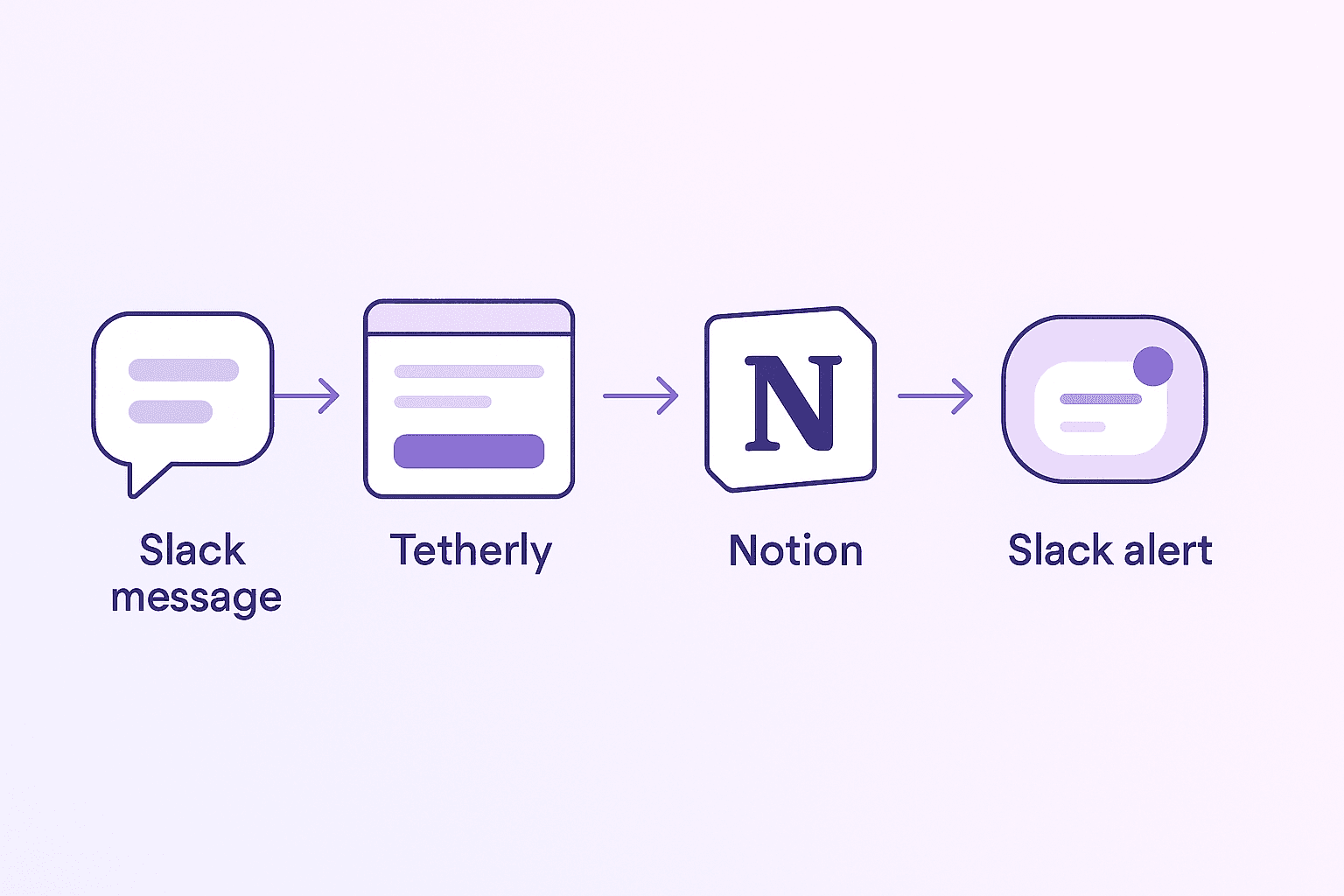
Example full flow:
A user posts a bug report in Slack
Someone clicks Send to Notion and Tetherly opens an AI filled modal with title, summary and tags
The bug is created in your Bugs database with the correct mapping
Thread sync is enabled, so all Slack replies sync back to Notion
Notification rules kick in
When Priority becomes P0,
#eng-alertsis notifiedWhen Status becomes Ready for QA, the QA engineer gets a DM
When the bug is resolved,
#product-updatesgets a final update
That is not "we pushed some text into Notion and forgot about it".
That is a full Slack Notion workflow with notification rules that match how your team works.
Why you want this instead of duct taped Notion to Slack alerts
You can keep trying to hack Notion Slack notifications with:
Native Notion Slack integration
Turnkey "send changes to Slack" automations
Zapier or Make flows that poll databases every few minutes
You will keep getting:
Delayed alerts
Useless spam
Or silence when it matters
Tetherly’s Slack Notion integration exists so you can:
Push Slack messages to Notion in one click
Keep threads synced across tools
Tune Notion to Slack notifications so only meaningful changes hit the right people
Let AI do boring metadata while humans make decisions
If you are serious about getting real work out of Notion and Slack together, stop accepting garbage notifications as normal.
Set up defaults.
Write three to five custom rules.
Watch the noise die and the signal show up exactly where it should.
To put this into practice inside your team, set up Tetherly’s Slack Notion integration and let the rules do the shouting so your team does not have to.